Dell Power Button Sync Capable Latitudes Not Powering on Dell P2423DE Monitors
Summary: This article provides information about Latitude laptops with Dell Power Button Sync (DPBS) capabilities is not powered on Dell P2423DE monitors when connected.
This article applies to
This article does not apply to
This article is not tied to any specific product.
Not all product versions are identified in this article.
Symptoms
Affected Platforms:
- Latitude 7430
- Latitude 5531
Affected Products:
- Dell P2423DE Monitors
The Dell P2423DE monitor is DPBS capable. Customers might report that a powered off P2423DE (power cable connected, but status LED is off) does not power on, when a powered on DPBS capable Latitude 5531 or 7430 connects using the USB-C to the P2423DE.
The issue might be intermittent and not reproducible at every connect.
Sometimes the customer might be able to power on the P2423DE by pressing the power button of the monitor multiple times. In general, the issue is only solved when the Latitude gets disconnected, and the power is drained from the P2423DE.
In addition, the customer may report that the issue can be seen on P2423DE monitors produced in 2022 and 2021, but not on P2423DE monitors produced in 2023.
Cause
The I2C level of the P2423DE drops below specification and causes the monitor to lock up.
Resolution
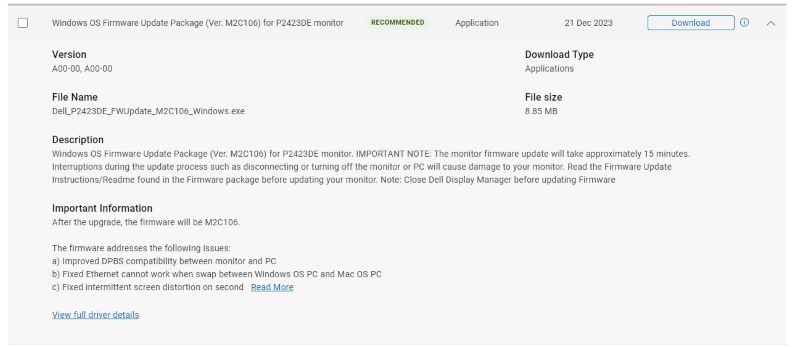
To resolve this issue, download and install the latest M2C106 firmware release from Drivers & Downloads.
Affected Products
Latitude 7430, Latitude 5531, Dell P2423DEArticle Properties
Article Number: 000219596
Article Type: Solution
Last Modified: 22 Apr 2025
Version: 7
Find answers to your questions from other Dell users
Support Services
Check if your device is covered by Support Services.