Dell Latitude 5421 laptop System Guide
Summary: This is a list of all the articles that you would ever need for the use of a Latitude 5421 laptop as it ships from Dell.
This article applies to
This article does not apply to
This article is not tied to any specific product.
Not all product versions are identified in this article.
Instructions
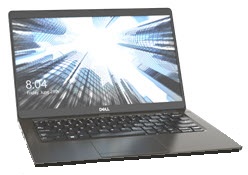
Dell Latitude 5421 System Guide: Contains Links to How-To Guides and Useful Information About Your System.
Expand Each Section Below for Information About Using Your Dell Latitude 5421.
Getting to know your computer:
A link to the System Manual can be found here:
This section provides links to information about locations of connectors and ports, figures of your system, and helps you to get started with your system.
- Dell Latitude 5421 laptop Keyboard Function Key Guide
- A Guide to Docking Stations and Port Replicators on Dell Laptops
Caution: Before working on your machine, it is worth considering the following safety information:
Installation Options:
This section covers the supported Operating System reinstallation options for your system.
See the tabs below to find more information about:
Microsoft Windows
For information about the various Windows operating system versions, click the following link:
Drivers:
This section gives information about drivers and the required order of installation for the various
Windows Operating System versions supported on your Dell computer.
Driver Installation Order:
Installing Drivers with the Resource CD or DVD:
Ubuntu Linux
For information about Ubuntu Linux on your system, see the following link:
- Frequently Asked Questions about the Ubuntu Linux operating system on your Dell Computer
- How to Install Ubuntu Linux on your Dell Computer
- How to Install Ubuntu and Windows 8 Through Windows 11 as a Dual Boot on your Dell Computer
Further information that you can see is found on the Ubuntu Website:

System Backup and Recovery
This section provides information about the Backup and Recovery options for your system.
Unless you specified Recovery Media in your order, your Windows 10 system does not come with a recovery USB Flash Drive or Discs. For information about creating recovery media for your system if there is catastrophic system failure, follow the link below:
- Create Windows 10 Recovery media for your Dell computer.
- Create Windows Installation Media for Windows 8.1 and Windows 10 using the Media Creation Tool.
Windows Recovery Environment (WinRE)
On factory-installed Windows 10 systems, WinRE allows you to restore your system to the original factory state. For more information see the link below:
Dell Recovery Image of Microsoft Windows
You can also download a recovery image of Microsoft Windows Operating System that is customized for your Dell product from the Dell support site.
Note: The recovery image contains the version of Windows that came installed on your computer. This download is only available on certain systems.
Further general information about recovering Windows can be found in the following article:
Dell SupportAssist for PCs and Tablets:
SupportAssist, previously called My Dell, provides system updates, detects issues, and sends you alerts based on your device, which makes solving and preventing problems easier than ever. This application gives you access to everything you require to take the guesswork out of maintaining PCs and tablets. For more information and installation instructions see the following link:
Diagnostics and Error Codes:
This section provides links to articles about diagnostics and the various error messages, beep codes and Diagnostic LED codes that can help to troubleshoot potential hardware and software issues on your system.
- Using the ePSA or PSA Diagnostics and a Guide to Error Codes
- Diagnostic and Battery Indicators for Latitude Notebooks and Tablets
- Help With Troubleshooting System Lock Ups or Freezes.
- Identify and Troubleshoot Windows Crashes and Restarts caused by Blue Screen (Crash Screen) errors.
- Troubleshoot Slow Performance Issues on a Dell PC.
You can also use the diagnostics that are on the Dell Support page, this requires Dell System Detect & SupportAssist to be installed on your system. This is performed if you choose to run the diagnostics. You can get to those diagnostics by following the link below:
Hardware:
The section below provides links to articles that contain information about the different hardware on your system. They can help you to troubleshoot any issues that may be identified by the above diagnostics. There are also general "How to" articles that can help with tasks, for example like updating the BIOS or upgrading a hard drive.
AC Adapter and Battery
- Checking Battery Health Status on Dell Laptops and Notebooks
- How to Troubleshoot Dell Laptop Battery Issues
- How to improve your laptop battery's performance
Audio
- Computer Making Noises? Troubleshoot Loud Fans, Hard Drive & More.
- How to fix problems with speakers emitting unwanted noise.
- How to Troubleshoot and Resolve a No Audio issue with a Latitude PC.
BIOS and Motherboard
- What is BIOS and How to Check and Update the System Setup or BIOS on Your Dell System?
- How to Perform a BIOS or CMOS Reset and/or Clear the NVRAM on your Dell System
- How to Update BIOS: Install and Upgrade BIOS on Windows
Fan and Overheating Issues
- How to troubleshoot an Overheating, Shutdown or Thermal issue on a Dell PC
- Computer Making Noises? Troubleshoot Loud Fans, Hard Drive & More
Hard Drive Issues
Input Devices Issues
- Keyboard Usage and Troubleshooting Guide
- Mouse Usage and Troubleshooting Guide
- Touchpad Usage and Troubleshooting Guide
Memory
- How to Troubleshoot and Resolve Memory issues with a Dell laptop PC.
- Latitude: Memory compatibility guide
- What is DDR3L memory?
Networking, Wi-Fi, or Bluetooth
- Dell Networking and Wireless Support Center
- How to Troubleshoot and Resolve any Wired NIC issues with a Dell Latitude PC.
- A list of various "How To" Network and Wi-Fi Troubleshooting articles for Dell computers
- Troubleshooting Guide for Bluetooth issues on your Latitude Dell PC
No POST or No Power
- No Power, No POST, No Boot or No Video issues with your Dell Computer
- How to Troubleshoot a No Power Issue on a Latitude laptop PC
Optical Drive
Ports, Port Replicators, or Docking Stations
- USB Ports Not Working on Windows: Solve Common USB Issues
- A Guide to the External Ports and Connectors on a Dell Computer
- A guide to Docking Stations and Port Replicators on Dell Laptops
Video Issues
Additional Software, Security and Encryption, and Anti-virus:
This section covers the Software that is supported on your system, it also has links to information about Security and Encryption and Anti-Virus.
See the tabs below to find more information about:
Software
Your system is shipped with some preinstalled applications and software which are designed to make your life easier. This section contains links to information about these.
To access the Dell Download Center, click the following link:
To access the Dell Application and Software Page click the following link:
Software sold with your system:
This section provides information about some of the software that is preinstalled and sold with your system.
Some of the software that is sold at the time of purchase has to be downloaded once you receive your system.
This is achieved by using Dell Digital Delivery, for more info see the links below:
Security and Encryption
This section contains links to information about Security and Encryption on your Dell system.
Dell Data Protection | Access (DDPA)
Anti-virus
To access the Dell Security and Virus Support Page click on the following link:
Your system may be preinstalled with an Anti-Virus program, for more information, follow the link below:
For further information about Viruses, Spyware, and Malware follow the links below:
If You Require Assistance on a Topic Not Covered in This Guide, Please Use the Search Box at the Top Right of This Page to Find Further Help
Affected Products
Latitude 5421Article Properties
Article Number: 000188505
Article Type: How To
Last Modified: 11 Nov 2025
Version: 17
Find answers to your questions from other Dell users
Support Services
Check if your device is covered by Support Services.